A reality check on voiceover automation with ElevenLabs
An honest look at using AI voice generation for production video content—the wins, the friction, and whether it's actually worth it.
One of my aims for 2026 is to produce more video content, and recording voiceover is a big point of friction for me.
I have been aware of Elevenlabs for a while, and I can see the potential to build it into a larger automated process for production-grade instructional videos, so was eager to give it a try.
TL;DR: it mostly works, but it came with enough friction to make me think twice about whether it’s actually saving any time. Scroll to the bottom for a link to the repository.
The Goal
I wanted to find a process where I could write a complete script and send it to ElevenLabs to generate a polished MP3. If I could generate a script from a video, even better. The gold star would be having an agent record itself clicking around a UI, then have the video analysed to create a script, and combine the two together.
Audio is a big part of this puzzle, and in theory, the easiest to outsource.
What actually happened was a bit more involved.
Problem 1: Zero-Shot Generation Doesn’t Work
My initial approach was simple: write a script, send the entire thing to the API in one go, get a polished MP3 back. Done.
This produced inconsistent results—pacing would be off, emphasis would land in strange places, and occasionally the output would just fall apart partway through. This would result in me having to generate the entire audio again, and double the token counts and costs. I quickly used my alloted allowance, and had to wait until the end of the month or pay for more.
The solution was to break the script into smaller chunks. I split on double newlines, treating each paragraph as a separate generation unit. Shorter inputs gave the model less room to go wrong, and it was much easier to spot and fix a single bad segment than to regenerate a whole script.
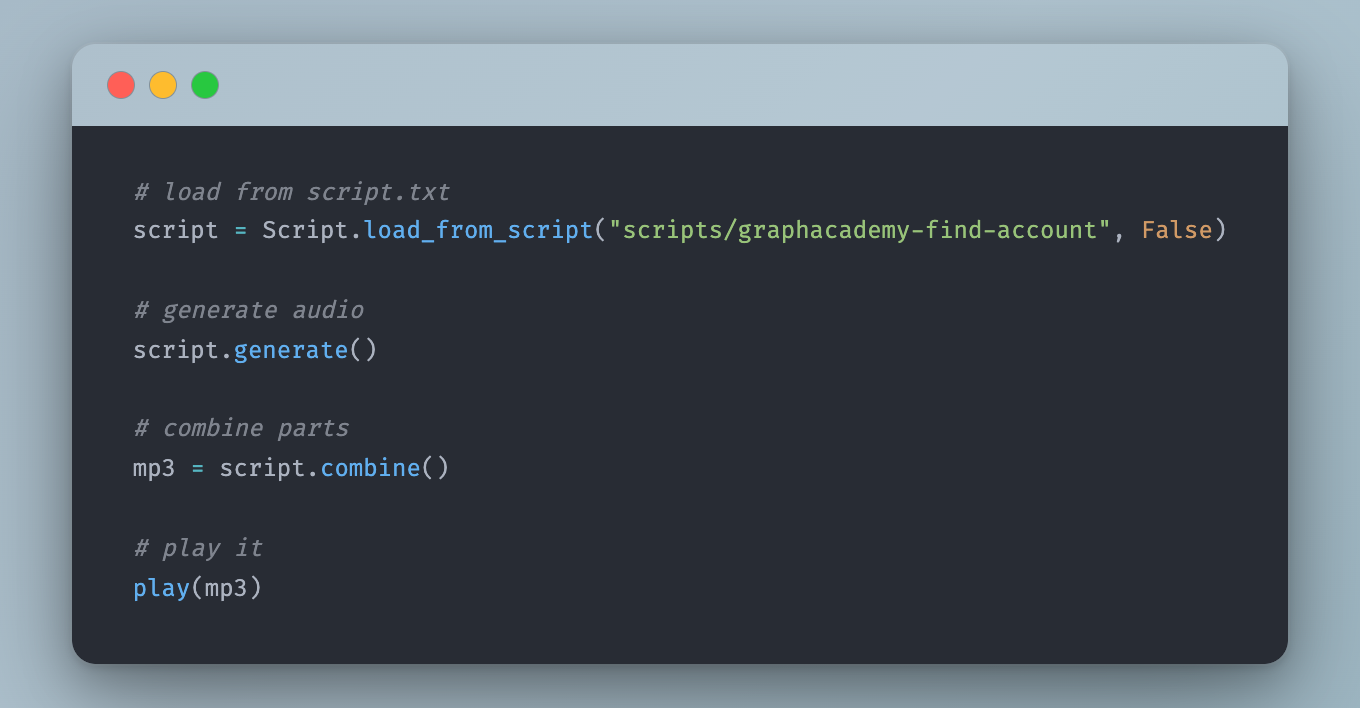
This meant the workflow I ended up with looks like this:
- Write a script in a
script.txtfile inside a named folder under./scripts/ - Split the script into short chunks (one paragraph per audio file)
- Generate audio for each chunk
- Listen back and regenerate any parts that didn’t come out right
- Combine everything into a single MP3 with a one-second pause between segments
Here’s the directory structure:
scripts/
  1.2-querying/
    script.txt
    00.mp3
    01.mp3
    ...
combined/
  1.2-querying.mp3
The Script class handles loading, splitting, and generating:
class Script:
    folder: str = ""
    parts: List[str] = []

    @staticmethod
    def load_from_script(folder: str, delete_existing: bool = False):
        with open(os.path.join(folder, "script.txt"), "r") as f:
            script = f.read()
        return Script(folder, script)

    def __init__(self, folder: str, script: str, delete_existing: bool = False):
        self.folder = folder
        self.parts = [n for n in script.split("\n\n") if n.strip() != ""]
        os.makedirs(self.folder, exist_ok=True)

    def generate(self, limit: int = None):
        for index in range(0, len(self.parts)):
            if limit and index >= limit:
                break
            self.generate_audio_part(index)

    def generate_audio_part(self, index, delete_existing: bool = False):
        text = self.parts[index]
        previous_text = self.parts[index - 1] if index > 0 else None
        filename = f"{self.folder}/{str(index).zfill(2)}.mp3"
        generate_raw(text, previous_text, save_to=filename)
Passing previous_text into the API call gives the model some context about what came before, which helps with natural tone and pacing across segments.
Problem 2: Pronunciation
This was the bigger headache.
Technical content is full of terms that text-to-speech models handle badly.
- “Neo4j” is the most important term, and it came out as something between “Neo-four-jay” and “Neo-forge” across multiple generations.
- “LLM” was read as a word rather than individual letters with unnatural spacing, or something resembling “elm”.
- “LCEL” was pronounced as single letters rather than “el-cell”.
The solution was to build a dictionary of replacements that converted phrases from text into Speech Synthesis Markup Language (SSML) before the text is sent to the API:
ssml_replacements = {
    'RAG': 'rag',
    'RAGAS': 'rag-ass',
    "LCEL": 'el-cell',
    "LLM": '<say-as interpret-as="characters">LLM</say-as>',
    'Neo4j Vector': 'neo-for-jay vector',
    "Neo4j": "neo-for-jay",
    "neo4j": "neo-for-jay",
    "tiger graph": '<say-as interpret-as="expletive">tiger-graph</say-as>',
    "regex": 'Rej-ex',
    "Pydantic": 'pie-dantic',
}
A couple of notes on the above:
- The SSML
say-as interpret-as="characters"tag causes the model to spell out each letter individually, which is what you want for acronyms like LLM. - The
interpret-as="expletive"tag on a competitor’s name was a deliberate joke. It produces a satisfying bleep. I left it in.
The generate_raw function applies these replacements and wraps the text in a <speak> tag before sending it to the API:
def generate_raw(text: str, previous_text: str = None, save_to: str = None, voice_settings: dict = {}):
    for key, value in ssml_replacements.items():
        text = text.replace(key, value).replace(key.lower(), value)

    text = f"<speak>{text}</speak>"
    text = replace_method_names(text)
    text = replace_relationship_types(text)

    audio = elevenlabs.text_to_speech.convert(
        text=text,
        voice_id=ELEVENLABS_VOICE_ID,
        model_id="eleven_multilingual_v2",
        output_format="mp3_44100_128",
        previous_text=previous_text,
        voice_settings=VoiceSettings(
            speed=0.93,
            stability=0.5,
            similarity_boost=0.75,
            style=0.5,
            use_speaker_boost=True,
        )
    )

    if save_to:
        with open(save_to, "wb") as f:
            for chunk in audio:
                f.write(chunk)

    return audio
There are also helpers to handle code-adjacent text—method names like .query() get converted to “query”, and relationship types like ACTED_IN become “acted in”:
def replace_method_names(text: str):
    method_names = re.findall(r'\.\w+\(\)', text)
    for method_name in set(method_names):
        natural = method_name.replace(".", "").replace("_", " ").replace("(", "").replace(")", "").title()
        text = text.replace(method_name, natural)
    return text

def replace_relationship_types(text: str):
    relationship_types = re.findall(r'\b[A-Z]+(?:_[A-Z]+)+\b', text)
    for rel in set(relationship_types):
        natural = rel.replace("_", " ").lower()
        text = text.replace(rel, natural)
    return text
Problem 3: The Fails
Even with all of the above in place, some segments just came out wrong. The following is a good example - a segment that seemed to suddenly switch anguages half way though. No idea why. Regenerating usually fixed it, but it did happen on multiple occasions.
Other common failure modes:
- Mispronunciations that weren’t caught by the replacements dictionary
- Random tonal shifts—the voice suddenly sounding flat or oddly emphatic
- Stuttering or repetition on certain phoneme combinations
- Occasional language drift—the model generating a phrase in another language, seemingly at random
The only fix for these issues was to manually listen back, identify the bad segment by index number, and regenerate:
# Re-generate specific parts that didn't come out right
for part in [15]:
    script.generate_audio_part(part)
Problem 4: Badly Written Sentences
This one surprised me. When I fed in a sentence that was poorly constructed—a clause in the wrong order, or something that read awkwardly—the model would sound confused. Not in a dramatic way, just slightly off. The pacing would be uncertain, the emphasis misplaced.
At first I thought this was a model problem. Then I reread the sentence and realised it was genuinely confusing. Rewriting the script to be cleaner fixed it.
This turned out to be an unexpected benefit of the whole process. Having to listen critically to every sentence forced me to notice where my scripts were unclear. Whether I use AI voiceover or not, the scripts are better for it.
Combining the Segments
Once all the individual parts were good, they get stitched together using pydub with a one-second pause between each segment:
def combine(self):
    files = glob.glob(os.path.join(self.folder, "*.mp3"))
    files.sort()

    pause = AudioSegment.silent(duration=1000)
    combined = AudioSegment.from_mp3(files[0])

    for f in files[1:]:
        combined += pause
        combined += AudioSegment.from_mp3(f)

    combined.export(f"combined/{self.folder}.mp3", format="mp3")
Was It Worth It?
Honestly? It’s roughly the same amount of time as recording myself.
The generation itself is fast, but the iteration loop—generate, listen, spot the problem, fix the replacement dictionary or rewrite the sentence, regenerate—adds up.
For technical content in particular, there are enough edge cases in pronunciation that you can’t just fire-and-forget.
For production-grade instructional videos, I’d still choose to record myself. If the time it takes is similar, then it’s good practice for speaking in general.
As models improve, and computer control becomes more prominent, this is an idea I want to revisit. For now, I will be hitting record instead.
You can try this yourself by heading to the repository at github.com/adam-cowley/elevenlabs-experiment. You will need an ElevenLabs API Key and a Voice ID.
I generated my own voice, but they also offer a library of pre-built voices.