UI in the age of AI
When the backend can reason, what does it mean for the frontend?
Something strange has started happening recently.
My friends and family — people in non-technical jobs — have started talking to me about AI.
Not just asking my opinion, but telling me how they’re using AI tools to make their lives easier and learn new skills.
A friend has started sending me enthusiastic, emoji-filled business plans.
My partner, a teacher, came home recently and told me about a new tool her school has invested in. It helps teachers with difficult and repetitive tasks so they can focus their energy on the most important aspect of the job: helping children to learn and grow.
For years, these people had no idea what I did, and now I’m talking to them about hallucinations, context graphs and RAG.
It’s a useful signal — and a sign that the world I’ve been living in may not be a bubble after all.
My problem to solve
I spend most of my time thinking of how I can apply Generative AI in my day job.
I lead the team behind Neo4j GraphAcademy, where we teach developers and data scientists about knowledge graphs and Generative AI. This puts me in a slightly strange position. I’m not just building with these tools, I’m teaching people how to use them.
So I have to ask myself: am I teaching for the way people learned in the past, or the way they’ll learn in the future?
Not “how do we build the right experience?” But “how do we build something that can adapt?”
Because, if the backend can reason, what does that mean for the frontend?
The GraphAcademy chatbot
As database vendors across the board rushed to add vector index support, I like many others rushed to add a chatbot to the GraphAcademy website. I hastily took our documentation, course content, split them into chunks and created vector embeddings. Within a couple of days, I had spiked, tested and deployed a RAG-based chatbot into production.
The results were fine, the vector search would surface relevant content and help the LLM fill in the gaps, but it just wasn’t useful. It quickly became a ground for complaints.
Sandbox connection errors
One example where the chatbot fell short was with technical errors in the platform. We provide users with a Neo4j instance to practice with for the durtion of their learning. The idea behind this is that we remove as many barriers to entry as possible, and setting up a database is a big one.
But the integration was flaky - it could take minutes for an instance to spin up, the API would fall down, or users would have a blocked port that stopped them from connecting in the browser. To this day, the first suggestion when you search for GraphAcademy is “GraphAcademy refused to connect”
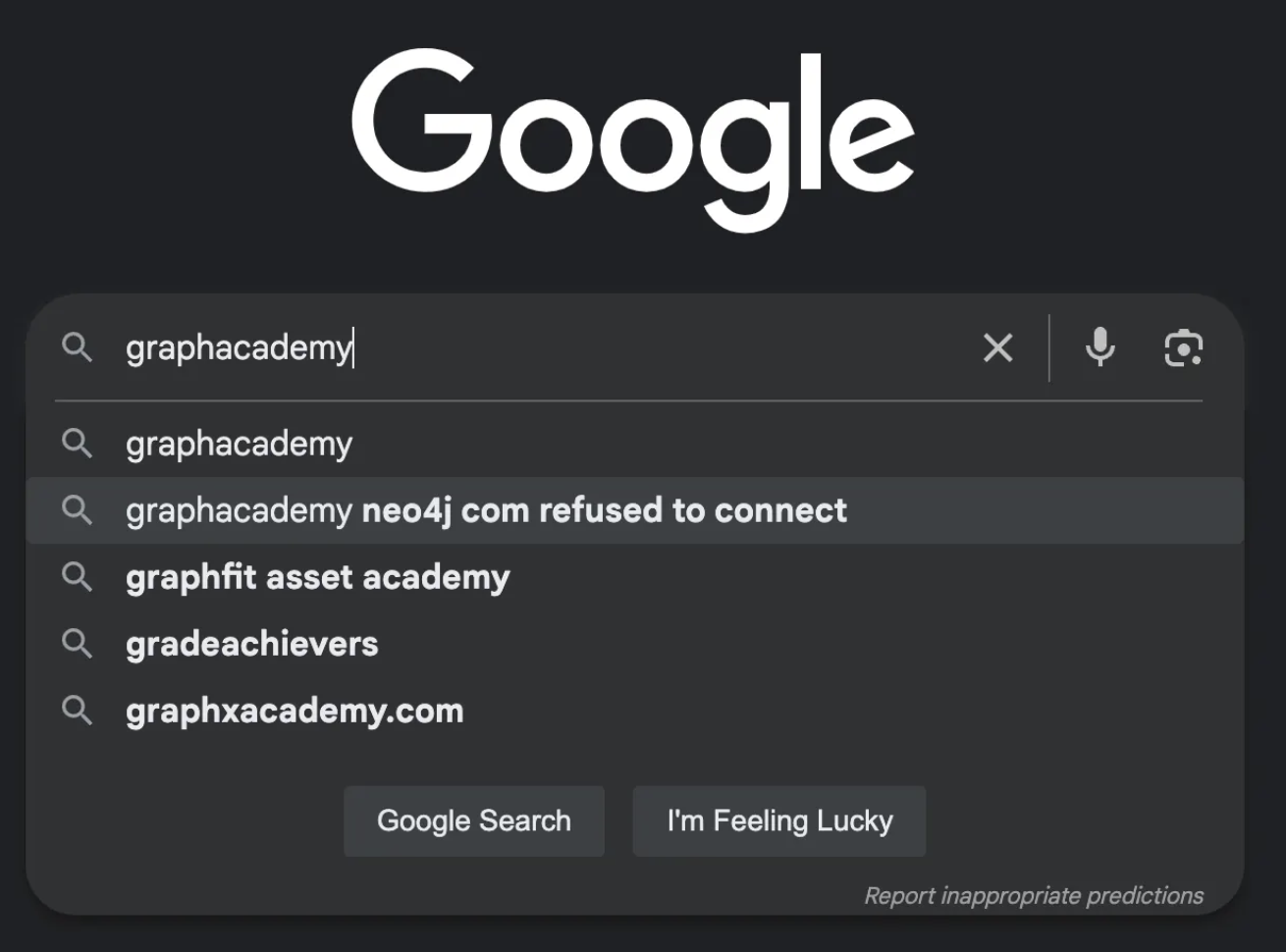
The chatbot would return pre-canned advice, that was technically accurate, but didn’t solve any real problems.
I quietly disabled it after a few months. I don’t think anybody noticed.
From knowing to doing
Then came 2025 - the year of the agent. LLMs had been fine-tuned for tool selection, and agentic frameworks become big news.
Time to try again.
This time, instead of a rigid RAG-based approach, we’d need an assistant that was capable of acting. We would create an agent with access to tools that performed actions on the users behalf, exposed existing domain logic through a chat interface, and the ability to surface the applicable information to solve a problem.
Read more on Why I’m Replacing My RAG-based Chatbot With Agents
Now we have a learning assistant that can fetch the learner’s database instance, check whether it is running, and provide more accurate instructions on how they can connect.
If the agent verifies that instance isn’t running, a second tool call will provision a new one.
Three principles for the age of AI
There are three things I believe every UI needs in the age of AI.
Transparency - show your working
The first element that a UI needs to demonstrate is transparency.
As agent patterns become more complex and tasks take longer, it is important for a UI to communicate what it’s doing. If the user can’t see what is happening — or that something is happening — they will assume it is broken.
We are ultimately accountable for the decisions that an agent makes. So it’s important to understand the context and reasoning that led to a decision. The more we can understand about the steps an agent has taken, the more confidence we have in its final output.
On GraphAcademy, we surface the reasoning, similar to tools like Cursor. Our learning agent is built so any tool can communicate with the front end and provide updates as it calls tools and subagents.
The user can see which tools are being called, and tools can communicate their reasoning steps.
Enabling reasoning
From a technical point of view, this is relatively simple.
Large Language Models stream results back to you using a technology called Server-sent events. In the GraphAcademy implementation, we send events with predefined types, along with text or a JSON payload.
event: ai
data: Great question...

event: ai
data: Let me have a think...

event: tool_start
data: {"id":"call_Scc8YjICQKGX7XnBItTf24uz","name":"runCypher","input":{"cypher":"..."}}

event: tool_end
data: {"id":"call_Scc8YjICQKGX7XnBItTf24uz","output":"[{\"nodeCount\":15}]"}

event: ai
data: Your database currently contains 15 nodes. If you have any more queries about your database or need further assistance, feel free to ask!

event: end
data: {"id":"chatcmpl-CzkV937mNqdfPdWQsWnZdaqZaDJCM"}
For our learning agent, I made the decision early on that each tool would have access to the Response object, giving it the ability to send events to the front end.
The task of the front end is then to handle these event types and act accordingly.
- The
aievent acknowledges the request as soon as possible. - The
tool_startevent communicates that a tool call has been initiated. - When the tool completes, the
tool_endprovides the context gathered by the tool call. - Once the AI has the information available, it can make an informed decision.
- The
endresponse tells the front end that the task is complete and no further communication will be sent.
Adaptability - reshape around the problem
The second element is adaptability.
We can build agents that, when given the correct tools and permissions, can adapt to solve any task.
With enough if statements, we can handle the events that come from the event stream and adapt any UI to the task at hand.
For a while now, Claude has created a side-by-side view for Artifacts, while I’m noticing more apps presenting forms instead of asking open-ended questions.
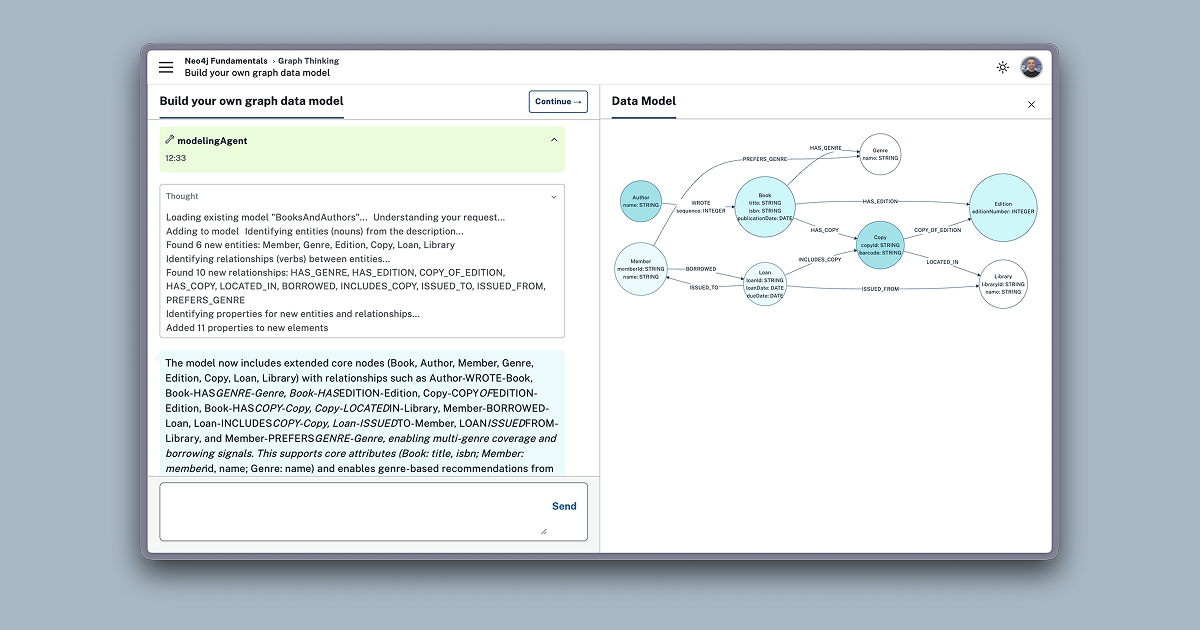
In the Neo4j Fundamentals course on GraphAcademy, we teach people about graph databases, the nodes and relationships that make up the graph, when graphs are a good fit, and provide examples of problems solved by graph thinking in real life.
We then encourage the learner to reinforce that learning in a chat interface, where they can describe the problem they are trying to solve, or the solution they are trying to build, and a graph data modelling subagent creates and refines a graph model with them.
Before this, we had a long onboarding form that forced the user to input their job title, industry, and select from one of 40+ data models that we had defined internally.
Now, rather than us placing them into predefined definitions, the user can describe to us exactly the problem they want to solve.
As the learner continues the course, they learn about Cypher, the query language for graphs. We apply Cypher to the data model they built in the first module.
At the end of the course, they have their first data model and some sample queries to build from.
Serendipity - Answer the question they didn’t ask
Finally, I believe every experience should provide serendipity.
We have the technology to understand the user’s intent and adapt to the task at hand. We can go even further — providing exceptional experiences by answering the question they didn’t ask.
I can see parallels here with customer service, or fine dining restaurants where the staff go above and beyond to provide a memorable experience.
On GraphAcademy, when a learner submits feedback, we analyse their input. If a user doesn’t understand something, it’s either a sign we need to improve our content, or an opportunity to provide an experience that helps them understand it differently.
When feedback is submitted, we analyse the feedback, and if it is something that the learning assistant can help with, the message is submitted directly to the chatbot and a conversation is initiated.
This is one of my favourite examples to show, because with a few lines of code, we’ve provided an experience that either helps the learner to understand something by looking at it in a new way, or leads to the improvement in the content itself.
We are now solving a problem the user didn’t know how to ask.
Bringing it all together
So, if we go back to that original question, “If the backend can reason, what is the role of the UI?”
The role of the UI is no longer to present a predefined path. Its role is to be transparent as it reasons, and adapt to the problem. We now have the technology to go beyond the problem and provide serendipitous moments of magic.
So I invite you to think about the agentic systems that you are building:
- Are they providing a clear trace as they work their way through a problem?
- Are they adapting to the problem that the user is trying to solve?
- Are they going above and beyond and solving the problem that the user didn’t know how to ask?
Because the role of the UI is not to get out of the way. It’s to guide the thinking.